Keep every enquiry moving
Capture customer details, assign an owner and see the next follow-up. Bring website forms and your sales pipeline into the same conversation.
The operating platform for your business
Bring your customers, sales, bookings and billing into one workspace. Give your team a clear next step and your managers a clear view of the business.
A walkthrough shaped around your business, your people and your next workflow.
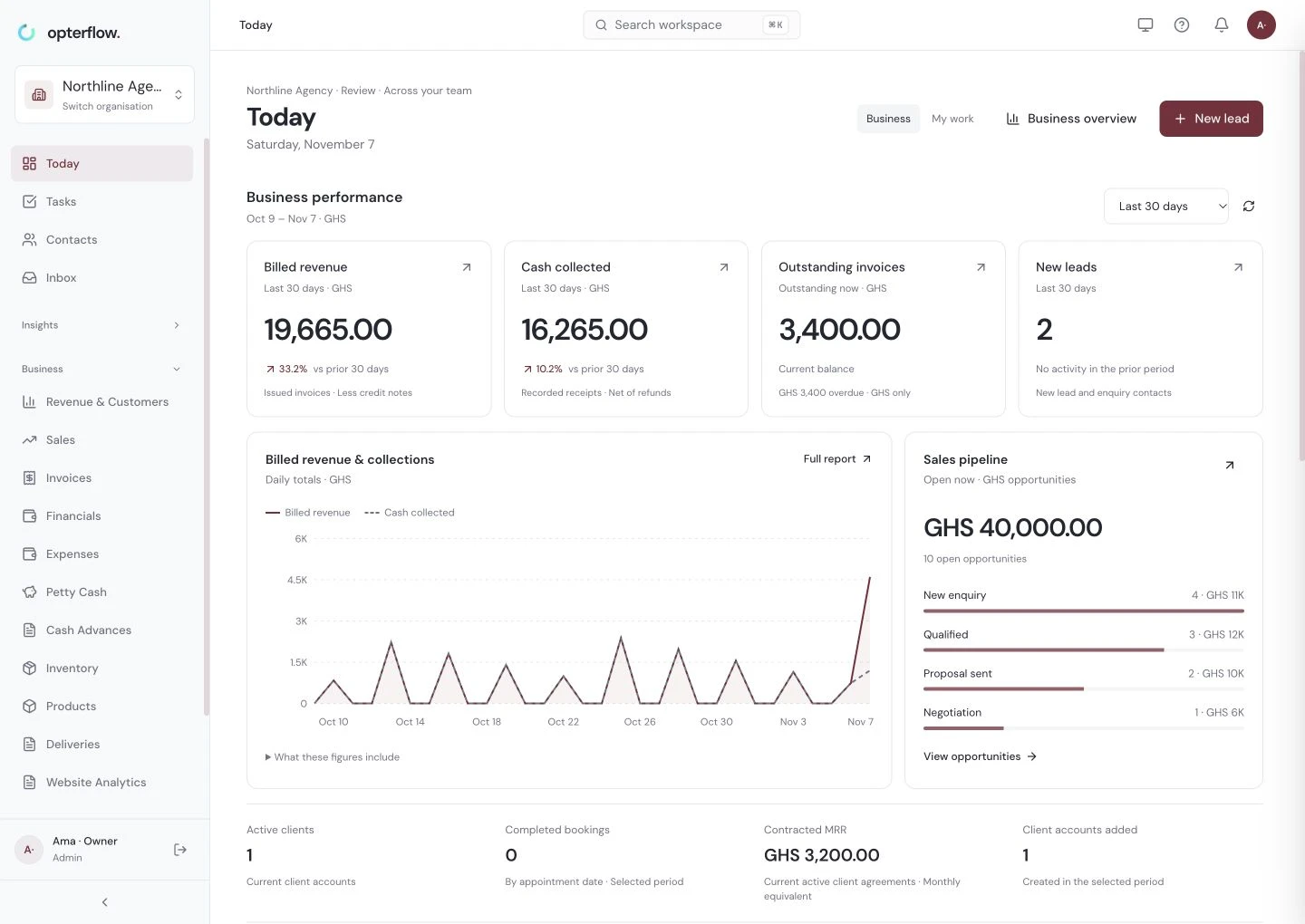
From first enquiry to recorded payment
Customers, people and money belong in the same operating picture. Opterflow connects the work your team does every day.
Capture customer details, assign an owner and see the next follow-up. Bring website forms and your sales pipeline into the same conversation.
Coordinate appointments, availability and team tasks. See what is due, what needs attention and who is responsible.
Create invoices, reuse your terms and track retainers, recorded payments and outstanding balances against the customer.
Separate billed revenue from collected cash. Review overdue invoices, sales activity and customer value using your recorded transactions.
A shared view. Clear responsibilities.
See the work, customer activity and recorded financial position together, with access controlled by business account and role.
Use workspace memberships and role permissions to organize who can view records, make changes and manage your account.
Authorized users can switch between business accounts from one login. Agency client workspaces retain their own data and subscriptions.
Review recorded activity and business reports. Export supported records and create business snapshots for recovery of missing data.
Built around the way you operate
Choose the workflow that fits. Activate the modules and permissions your team needs as you get set up.
For marketing agencies, consultants and professional-service teams managing leads, client accounts and recurring fees.
Discuss your agency workflowEnterprise rollout
Build the rollout around your people, data and daily work. Start with a focused walkthrough, agree the scope and put your first workflow in place.
Create your business account, import a clean customer list and assign the people who will use it.
Take an enquiry through follow-up, record a product sale or complete a service booking and invoice.
Check the records, balances and responsibilities. Add further workflows and integrations as your team becomes confident.
Review software, migration, integration, training and support requirements before agreeing your rollout.
Before you get started
Request a demo and tell us about your business and the workflow you want to improve. We will use that context to review the fit, the records you need and how your team would get started.
Your request goes to the Opterflow team for follow-up using the details you provide. Submitting a request does not book a time or create a subscription.
Customer CSV import includes column mapping. Prepare a clean file and review the import results before moving your team to a new workflow. Migration scope for other records should be reviewed separately.
Yes. A user can switch between business accounts where they have active access. Each workspace has separate records and permissions. Agency client workspaces have separate subscriptions.
Manual payment recording is available. Online collection requires an activated payment provider for the business. Email, SMS, WhatsApp and advertising connections need their respective setup, authorization and usage credits or provider charges. Confirm delivery with a real test before relying on a connection.
Start with a review of your workflows, users, data and integration requirements. Agree software capacity, implementation, training and support scope together. Review any contractual security or service requirements before committing to a rollout.